


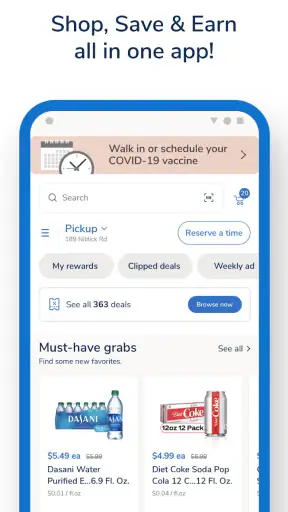
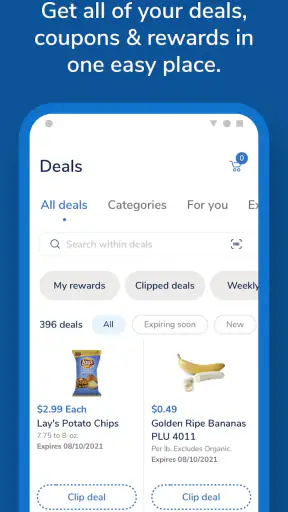
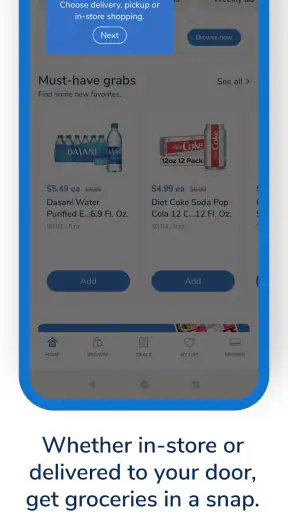
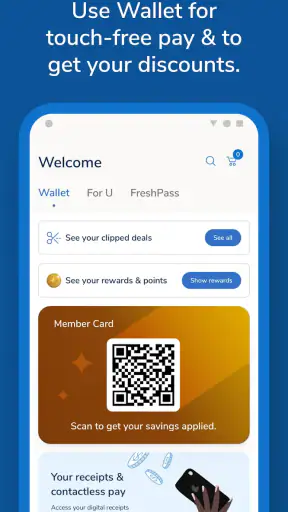
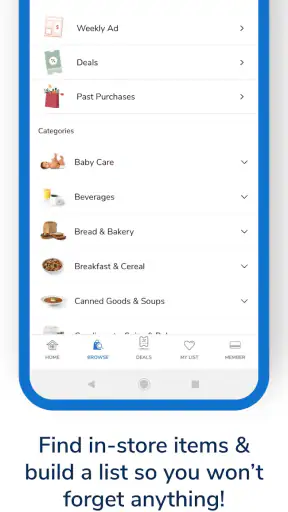
I found Albertsons: Grocery & Deals most useful when I treated it as a weekly shopping assistant rather than simply a digital version of a store shelf. It brings grocery delivery and pickup, deals, coupons, pharmacy tools, fuel benefits, and rewards into one place, so the main advantage is not just browsing products. The real value comes from planning a purchase around several parts of the Albertsons experience before I leave home.
That combination makes the app a practical choice for regular Albertsons shoppers, especially people who already use the store for groceries and want fewer separate tasks to manage. I can check offers, build a basket, arrange fulfillment, and keep an eye on rewards from the same account. At the same time, it is not automatically the best shopping app for everyone. Its usefulness depends heavily on whether Albertsons is convenient in your area and whether you are willing to spend a little time organizing coupons and rewards.
How Albertsons: Grocery & Deals fits into everyday shopping
The app comes from Albertsons Companies, Inc. and belongs to the shopping category. It is free to use, which makes it easy to try without committing money before deciding whether the workflow suits you. The service has been available since October 11, 2016, and its current version is 2026.27.0, with support for Android 8.0 and later. On Google Play, it has a 4.8 average from around 197 thousand ratings, with more than 5 million installs, so it is clearly used by a substantial number of shoppers.
I would describe the app as a control panel for a store relationship. A basic grocery app helps me find products or place an order. This one is more interesting because it connects the shopping list with weekly promotions, digital coupons, pharmacy needs, fuel benefits, and rewards. That wider scope can save time, but it also means the app rewards users who pay attention to the details instead of tapping through the first available option.
The Mature 17+ content rating is worth noticing before installation, particularly for families deciding which shopping tools children can access. The app itself is aimed at adults managing household purchases, prescriptions, budgets, and loyalty activity. I would not choose it as a general family browsing app; I would install it on the phone of the person who actually handles grocery planning.
My first useful workflow: plan before opening the basket
My strongest recommendation is to begin with the deals and coupon areas before filling a delivery or pickup order. That order matters. If I start by adding products from memory, it is easy to finish a basket and only afterward discover that a relevant offer needed to be activated or that a different product qualifies for a promotion. Looking at the weekly deals first gives the shopping trip a clearer framework.
I then use the product search to build the basket around what I genuinely need, rather than treating every promotion as a reason to buy. This distinction is important because digital savings can encourage unnecessary additions. A coupon is only useful when it applies to something already on my list or to a sensible substitute. The app works best when I use promotions to reduce the cost of planned shopping, not when promotions create the plan.
A helpful habit is to review the basket once after the main items are added. I look for duplicate products, pack-size differences, and items that may have been selected because they appeared first rather than because they were the best fit. This extra pass is especially valuable for pickup orders, where the convenience of not walking through the store can make it easier to overlook a substitution or quantity decision.
Delivery and pickup are convenient, but convenience needs checking
Having grocery delivery and pickup in the same app is the clearest day-to-day benefit. For a normal weekly shop, I can create the order when I have time instead of moving through every aisle. Pickup is particularly appealing when I am already passing the store: I avoid browsing temptations while still collecting a planned basket. Delivery is more useful when travel, mobility, weather, or a busy schedule makes the store itself the difficult part.
I would still check the final order carefully before confirming it. A digital catalog is not the same as seeing the product in person, and grocery availability can change. I pay attention to sizes, flavors, and quantities rather than assuming that a familiar item name tells the whole story. If a meal depends on one exact ingredient, I prefer to verify the order and keep a backup idea in mind instead of relying on a last-minute replacement.
The trade-off compared with shopping in person is control. In a physical store, I can inspect produce, compare packaging, notice a temporary shelf display, or change my mind immediately. The app gives me speed and structure, but the screen cannot reproduce that visual judgment. For routine packaged goods, that is usually a fair exchange. For highly specific fresh items or an urgent dinner, visiting the store may still be the better option.
Coupons and rewards require an active approach
The coupon system is one of the app’s strongest reasons to exist, but it is also where casual users may feel friction. I do not assume that seeing a deal means the saving will happen automatically. I review the offer language, confirm that the item and size match, and make sure the promotion is relevant to the current basket. This habit prevents the common disappointment of expecting a discount that applies only under a particular condition.
I also separate three ideas in my head: a product being on sale, a digital coupon being available, and a reward or fuel benefit being connected to the purchase. They may all appear in the same shopping journey, but they serve different purposes. Treating them as interchangeable makes it harder to understand why the final result looks different from the headline offer. The app is more rewarding when I check each type of benefit deliberately.
For a household that shops regularly, rewards can become more useful than a single dramatic coupon. I can think in terms of repeated habits: which purchases belong at Albertsons, which offers are worth planning around, and whether fuel benefits influence where I consolidate shopping. That is a more realistic way to judge the app than chasing every available promotion. The best savings often come from consistency rather than from collecting offers I would never otherwise use.
Pharmacy and fuel features broaden the app’s value
The pharmacy section makes the app more relevant for people who already depend on Albertsons for prescriptions or related errands. Its presence means the app can support more than a grocery run, but I would not install it solely for pharmacy management unless Albertsons is already part of my routine. The benefit comes from having grocery and pharmacy tasks close together, not from replacing every health service I use.
Fuel and rewards create another useful connection. If I am already earning benefits through grocery purchases, checking the fuel side can help me decide whether combining errands makes sense. I see this as a planning tool rather than a reason to buy extra groceries. The practical question is whether the benefit fits a trip I was already going to make. If it requires a special detour or encourages wasteful spending, the apparent saving becomes less convincing.
A realistic example is a busy weekend before a workweek. I can review the weekly offers, add breakfast items and household basics, arrange pickup, and check whether a pharmacy task belongs in the same trip. Before leaving, I review the basket and rewards information rather than opening the app only at the parking lot. That sequence turns several small errands into one planned visit and reduces the chance of forgetting an essential item.
Where the app is strongest compared with ordinary alternatives
Compared with a handwritten list, Albertsons: Grocery & Deals gives me a better connection between the list and the purchase. I can plan around available deals, choose pickup or delivery, and keep rewards in the same shopping environment. Compared with a generic grocery delivery marketplace, its advantage is the direct relationship with Albertsons’ own store offerings, pharmacy, fuel, and loyalty features.
That direct focus is also its limitation. A broad marketplace may be better if I want to compare several supermarkets at once, combine products from different retailers, or find the lowest price without caring which chain supplies the order. Albertsons’ app is not designed to be a neutral comparison engine. It is most convincing when Albertsons is already one of my preferred stores.
Compared with shopping in person, the app wins on preparation and repeatability. I can build the order away from the store and avoid impulse decisions. The physical visit wins on immediate availability, product inspection, and spontaneous substitutions. I would use the app for planned weekly shopping, but I would not abandon in-store shopping for a small urgent purchase or for products where freshness and exact selection matter more than convenience.
The meaningful weaknesses I noticed
The biggest weakness is that the app can make savings feel more complicated than they should. Deals, coupons, rewards, and fuel benefits are appealing, but the user has to understand what each one does and when it applies. Someone who wants a simple list, a quick checkout, and no promotional planning may find the extra layers tiring. In my experience, the app rewards attention; it does not remove the need for attention.
There is also a mental cost to shopping through a store-specific system. I have to think in Albertsons terms: its available products, its promotions, its fulfillment choices, and its rewards structure. That is fine when the local store is convenient and well stocked. It is less attractive when another supermarket is closer, offers a better selection for a particular diet, or makes price comparison more important than loyalty benefits.
Digital ordering can also create a false sense of certainty. A filled basket feels finished, but grocery shopping is still affected by availability and substitutions. I recommend leaving enough flexibility for a product to change and avoiding an overly rigid meal plan when an ingredient is difficult to replace. For people who dislike substitutions or need precise brands every time, an in-person trip may produce fewer surprises.
Another consideration is audience. The app is rated Mature 17+, and I see it as a personal household-management tool rather than something to hand to a young child for independent shopping. Adults managing budgets, family meals, pharmacy tasks, or fuel planning are the natural users. A teenager who only needs to remember a few items may be better served by a simple shared list.
Who should install it, and who should skip it
I recommend it to regular Albertsons customers who want one place for grocery planning, pickup or delivery, coupons, pharmacy activity, fuel benefits, and rewards. It is especially suitable for people who repeat similar shopping routines and are willing to review offers before ordering. The app can also help households divide responsibilities: one person can prepare the basket while another checks the list before pickup.
It is a good fit for busy shoppers who value avoiding an unnecessary store walk. Parents, commuters, and people organizing meals around a weekly schedule can benefit from creating the order in advance. It is also useful for anyone who tends to forget loyalty benefits at checkout, because keeping the shopping and rewards process together makes those benefits easier to consider.
I would skip it if Albertsons is not a practical nearby option, if I mainly shop across several chains, or if I care more about broad price comparison than store-specific rewards. I would also choose another approach if I dislike digital coupons, do not want to monitor promotions, or usually make small spontaneous purchases. In those situations, the app’s extra planning may feel like work rather than help.
Before committing to it as my main grocery tool, I would ask myself four simple questions. Do I shop at Albertsons often enough for rewards to matter? Will pickup or delivery save me meaningful time? Am I comfortable checking coupon conditions? Do I need pharmacy or fuel features in the same routine? If the answer is yes to most of these, the app has a clear purpose. If not, a basic list or a broader shopping service may be more efficient.
My final view after using its full range
Albertsons: Grocery & Deals is strongest as an organized ecosystem for people already connected to Albertsons. Its grocery ordering tools are useful on their own, but the more convincing case comes from combining them with weekly deals, coupons, pharmacy access, fuel benefits, and rewards. I appreciate that it can turn a scattered set of errands into a planned routine, provided I take the time to review the details.
I would not call it a universal grocery solution. It cannot replace the judgment of choosing fresh products in person, and its promotional structure may feel demanding to shoppers who want complete simplicity. The app also makes the most sense when the local Albertsons store is convenient and its selection matches my needs. Those are important conditions, not minor footnotes.
My recommendation is specific: install it if Albertsons is already part of your weekly life and you want to make pickup, delivery, coupons, pharmacy tasks, fuel benefits, and rewards work together. Start with one planned shop, check offers before filling the basket, and review the final order instead of trusting the first version. Used that way, this free shopping app becomes a practical planning tool rather than just another place to browse groceries.


